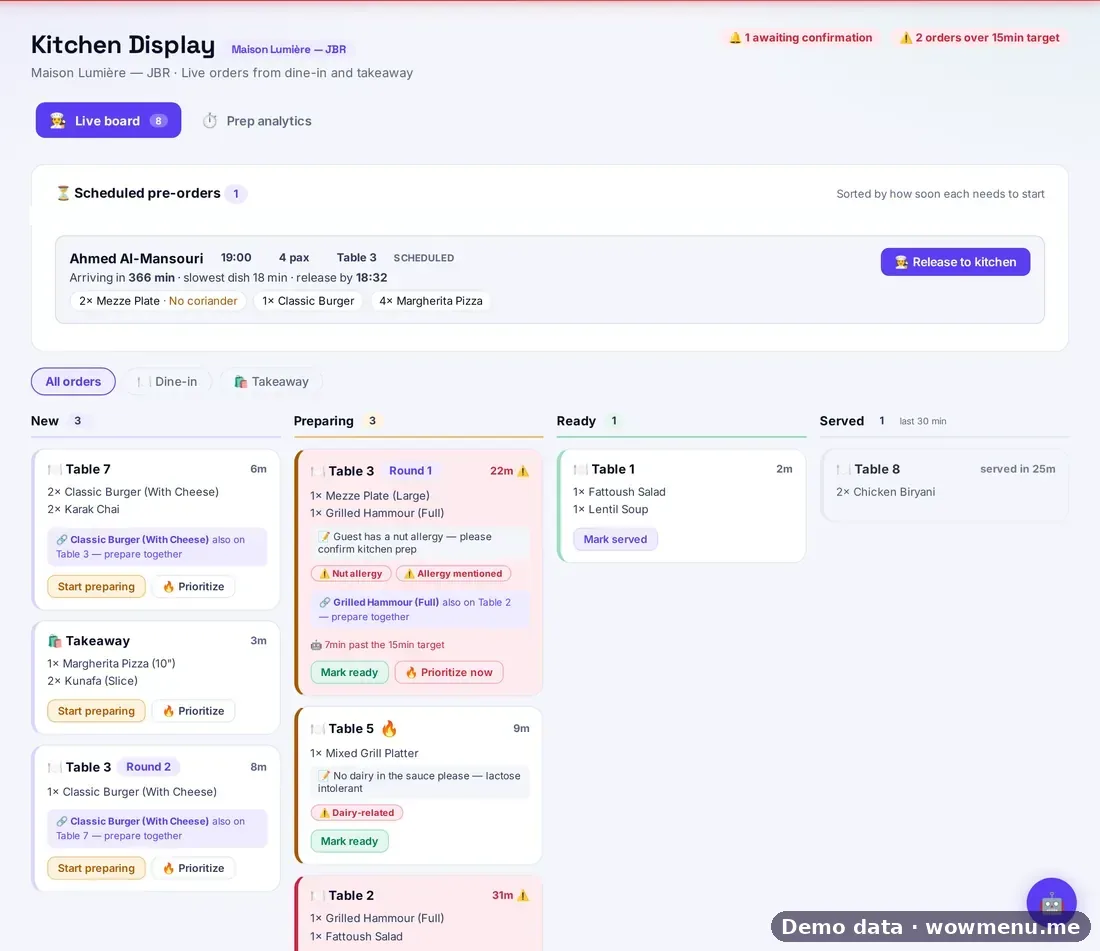
Orders from guests and from waiters land on one live board. Tickets move from new to preparing to ready to served, and rounds from the same table are grouped together so the kitchen sees the whole table, not a stream of fragments.
You choose whether orders are approved automatically or confirmed manually (hotels default to manual). Delay detection compares each ticket with your prep-time target, 15 minutes by default and adjustable per branch, and gives a plain-language reason for every flag. Allergy flags are picked up from order notes, and a hint appears when several tickets share a dish so it can be cooked together.
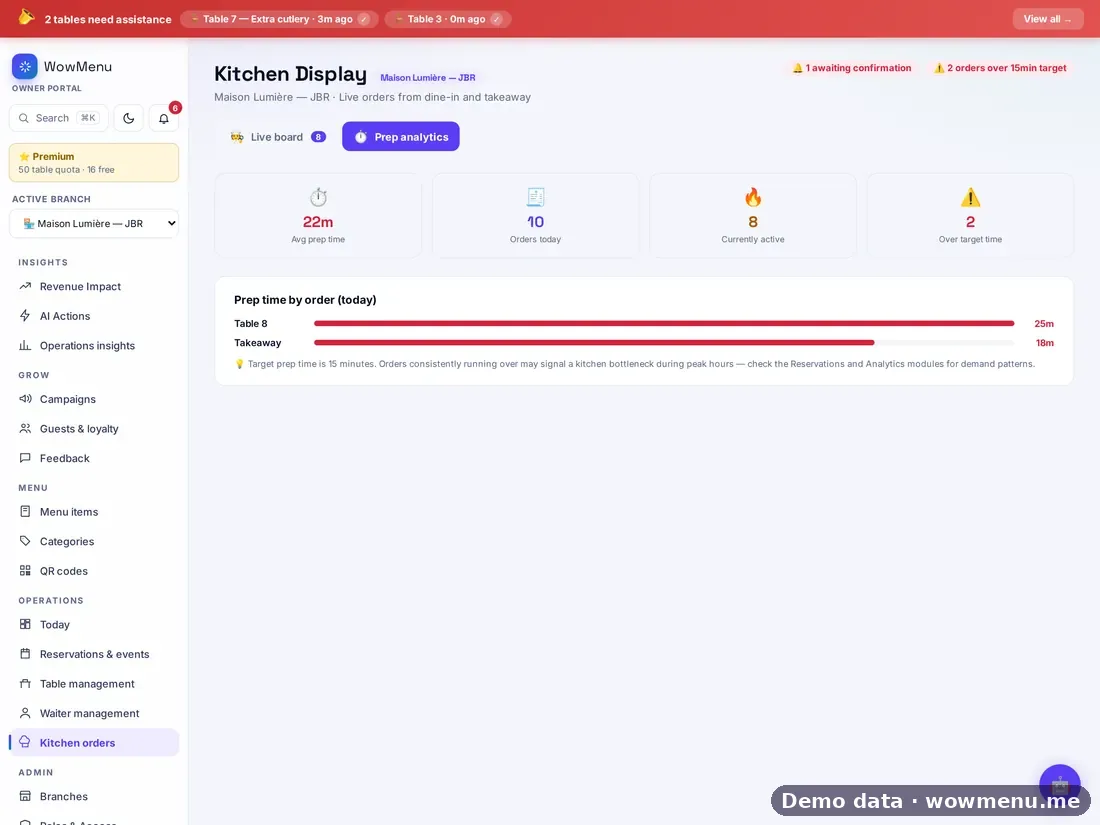
Scheduled pre-orders sit in a panel above the live lanes, with a suggested release time and a one-tap release. Prep analytics then show where time is being lost.
Allergy flags come from order notes and prompt your team to check. They are not a guarantee that a dish is allergen-free, so staff should always confirm. Direct kitchen display ordering is included from the Growth plan.
How it connects
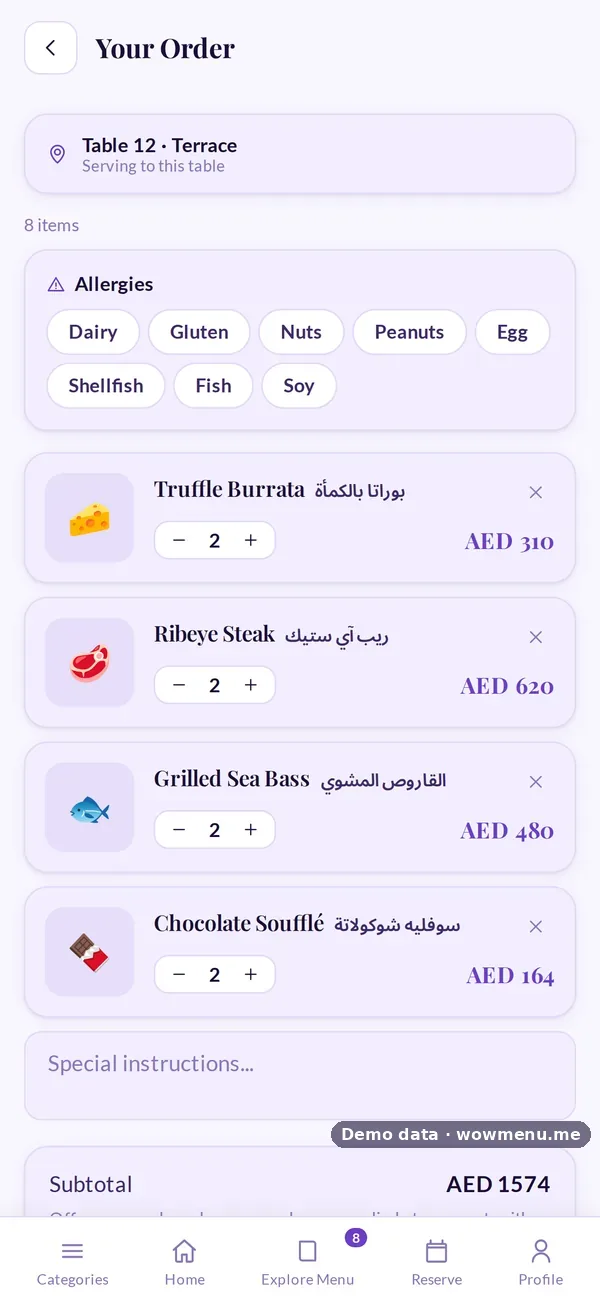
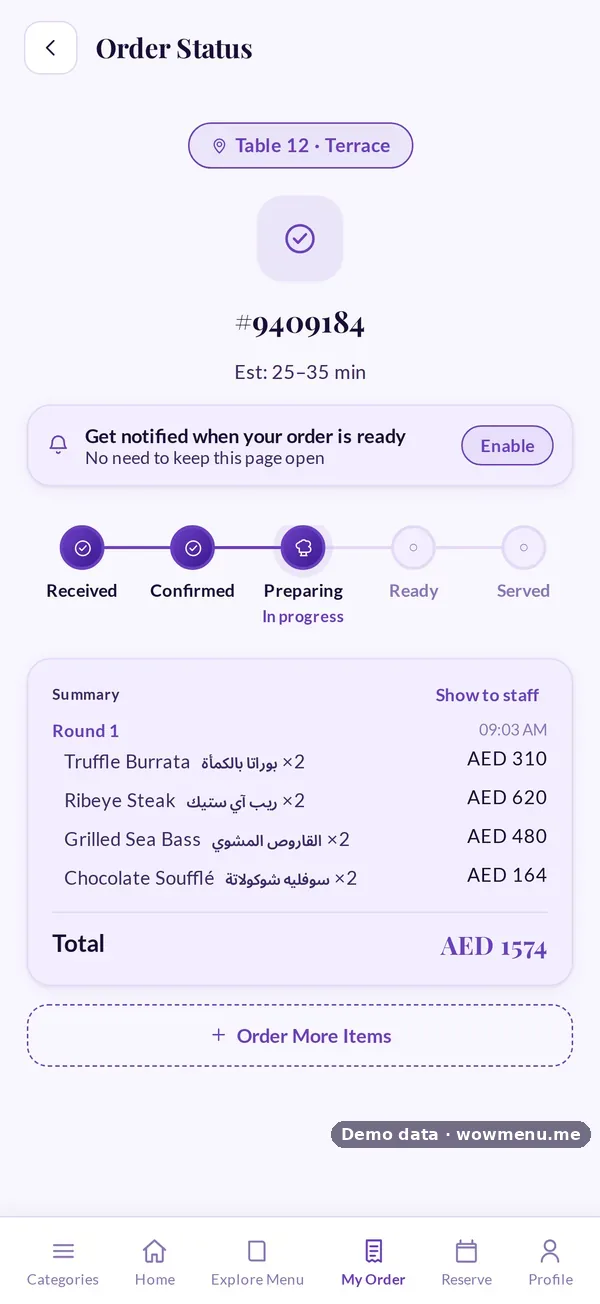
What the owner sets up or sees in the portal, and what the guest sees in the QR menu. Screens are from the demo restaurant, Maison Lumière, with demo data.
The guest orders, and the ticket lands on the board
Guest orders and waiter orders land on one live board. The guest follows the same order through Received, Confirmed, Preparing, Ready and Served.
Key benefits
What Kitchen Display System does for your restaurant
One live board
Guest and waiter orders in one place, flowing from new to preparing to ready to served, with rounds from the same table grouped together.
Delay detection with reasons
Tickets are compared with your prep-time target, 15 minutes by default, adjustable per branch. Each flag says why in plain language.
Allergy flags and shared-dish hints
Order notes are scanned for allergy keywords, and a hint shows when several tickets share a dish so it can be cooked together.
Scheduled pre-orders, released in one tap
A panel above the live lanes shows pre-orders with a suggested release time. Releasing is always a one-tap human decision.
How it works
Orders arrive on the board
Guest orders from the menu and waiter orders appear as tickets. Choose auto-approve or manual confirmation.
Rounds are grouped
If a table orders again, the new round joins the same table's tickets so the kitchen sees the full picture.
Watch the clock
Tickets running past your prep-time target are flagged with a reason, and shared dishes are hinted so they can be cooked together.
Release pre-orders on time
The suggested release time is worked out from the booking time and how long each dish takes. One tap releases it.
Frequently asked
Which orders appear on the kitchen display?
Orders placed by guests from the menu and orders placed by waiters, on one live board.
Can the kitchen confirm orders manually?
Yes. You can auto-approve orders or require manual confirmation. Hotel accounts default to manual.
How are delays detected?
Each ticket is compared with your prep-time target, 15 minutes by default and adjustable per branch, and a plain-language reason is shown for every flag.
Are the allergy flags a safety guarantee?
No. They are prompts based on order notes, and your team should always confirm allergens with the guest.
How does pre-order release work?
The suggested release time is worked out from the booking time and how long each dish takes. Releasing is always a one-tap human decision.