Per-table QR ordering is the operational core of WowMenu. Each physical table in your restaurant gets a unique QR code with its own label — T-01, VIP-3, Terrace-A — that generates a tracked, identifiable order ticket in your kitchen display.
This is not just a convenience feature. It is an operational transformation. When every table has its own QR code, you gain precise per-table analytics (which tables use AI most, which generate highest spend), eliminate the ambiguity of verbal "table 7" handoffs, and create a direct, error-free channel from guest to kitchen.
How it connects
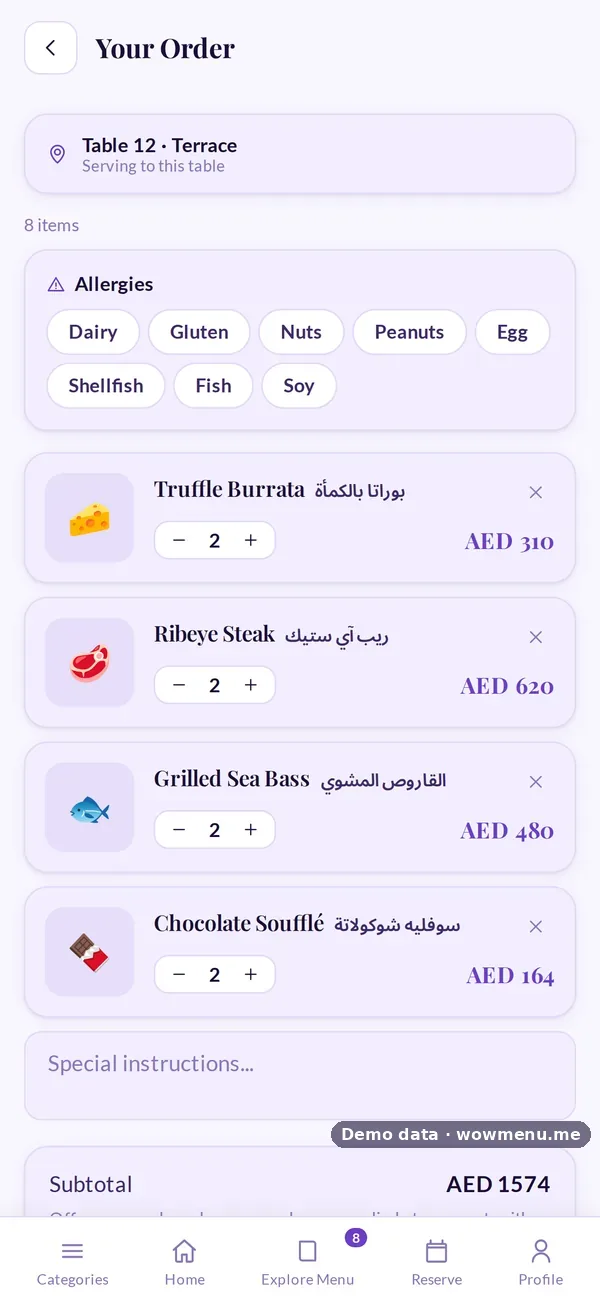
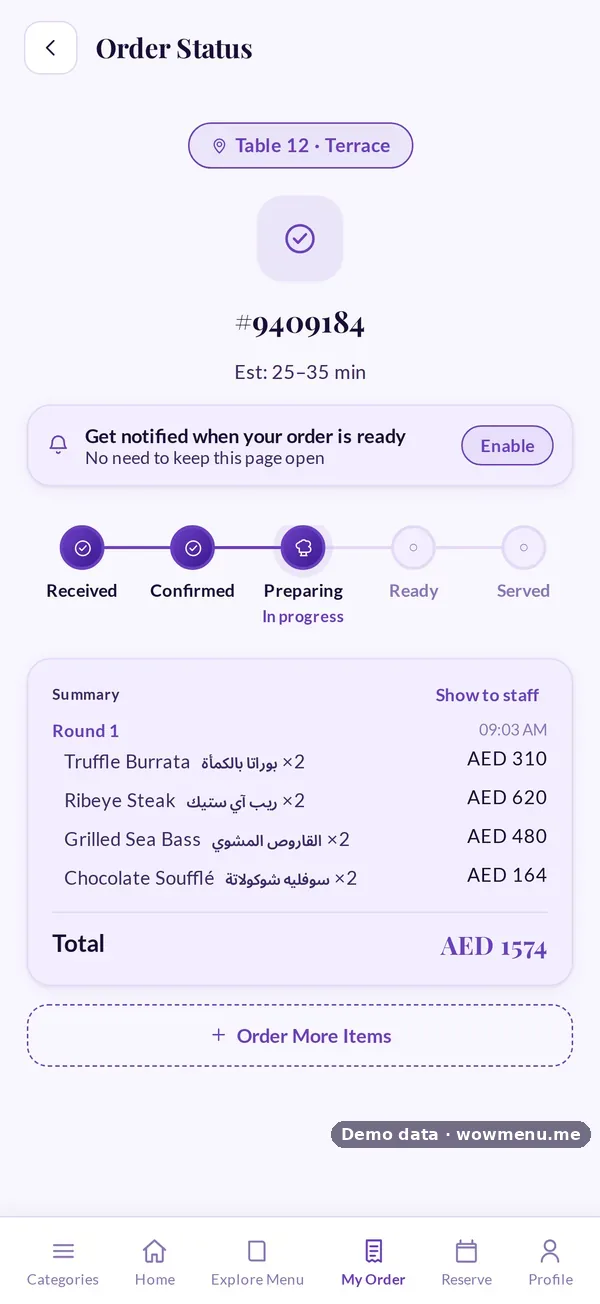
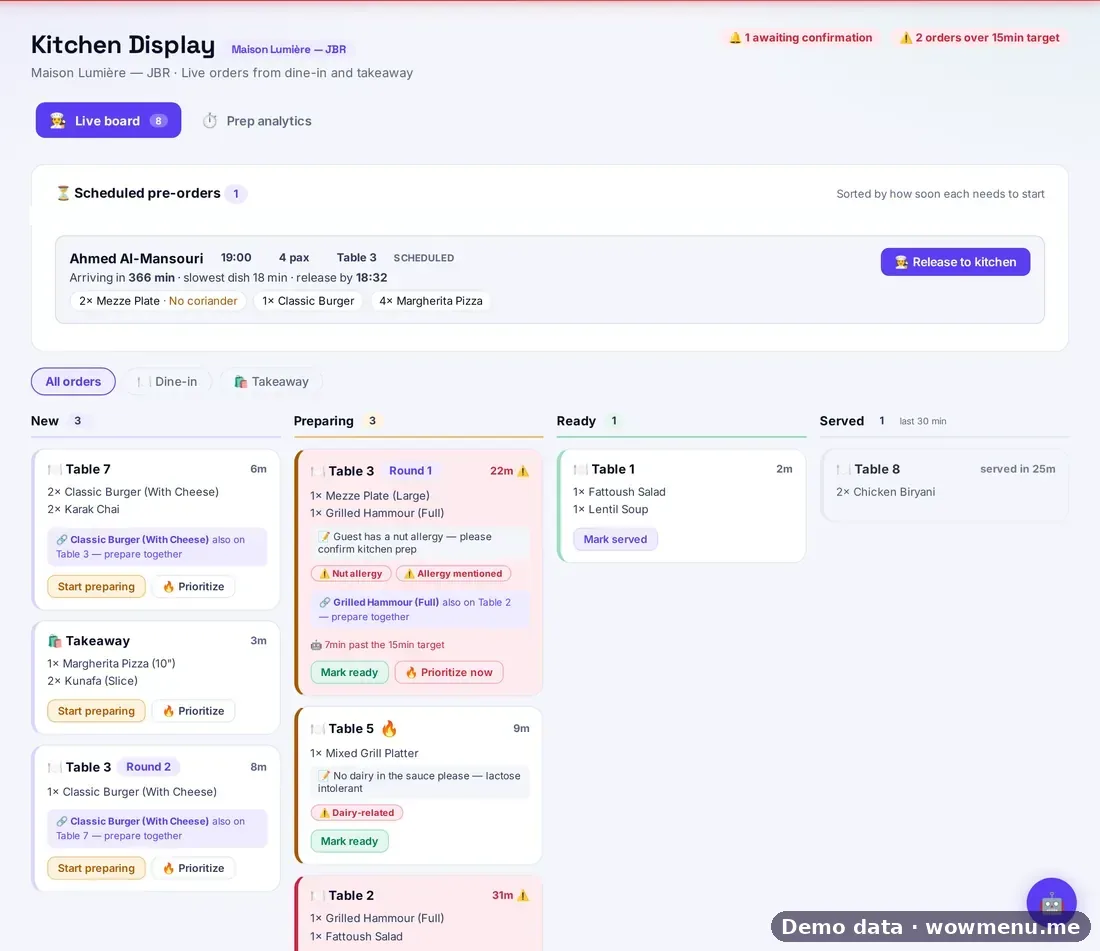
What the owner sets up or sees in the portal, and what the guest sees in the QR menu. Screens are from the demo restaurant, Maison Lumière, with demo data.
Rounds from the same table are grouped on the kitchen board
Guests can order again during a visit. The kitchen sees rounds together, with notes and allergies attached.
Key benefits
What Restaurant Table Ordering does for your restaurant
Custom table labels
Name your tables anything: T-01, Rooftop-A, VIP-3, Terrace-B. Labels appear on kitchen tickets and in analytics.
Per-table analytics
See sessions, AI usage, average spend, and order frequency by individual table. Identify your highest-value seating positions.
Flexible table quota
Allocate your table quota across multiple branches independently. Add tables to any branch without reprinting menus.
How it works
Create table QR codes in your portal
Name each table, generate its unique QR code, and download print-ready files — individually or as a ZIP.
Guest scans their table QR
The table label is embedded in the QR. Orders are automatically tagged with the correct table.
Kitchen receives table-tagged tickets
Every ticket shows the table label, order details, and any guest notes. No verbal confirmation needed.
Analytics track by table
Your analytics dashboard shows per-table engagement, spend, and AI usage over any time period.
Frequently asked
Can I have different QR codes for different areas?
Yes. You can create table QR codes for indoor, outdoor, terrace, VIP, and any other section — all with custom labels.
What if a table QR is damaged or lost?
You can regenerate a table QR at any time from your portal. The analytics history for that table is preserved.