Restaurants in Dubai and London serve guests from everywhere. A menu that speaks only one language leaves guests ordering the familiar and leaves your servers translating and explaining all evening.
Owners enable the menu languages they need, and the portal offers 27. Guests switch with one tap, and the whole menu, MenuGPT's answers and the order flow appear in their chosen language, remembered for next time. Prices can switch to their preferred currency in a tap too.
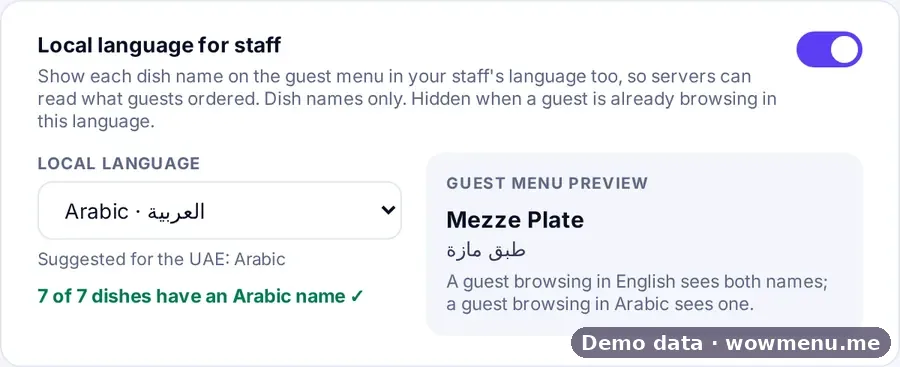
This is both a revenue and an operations feature. Guests who understand every dish and allergen order with more confidence, and servers stop translating, so orders arrive correct the first time. Your team can read each order in a staff language of their own, with dish names in that language and a Show to staff view.
Write a dish once. Auto-translate in the Owner Portal fills every menu language you switch on, and AI generate can draft the description; review both before guests see them. For your team, a coverage check shows which dishes already have a name in your staff language.
The guest orders in French. Your server reads it in Arabic.
Guests browse, ask MenuGPT and order in their own language. Your team reads the same order in the language they work in.
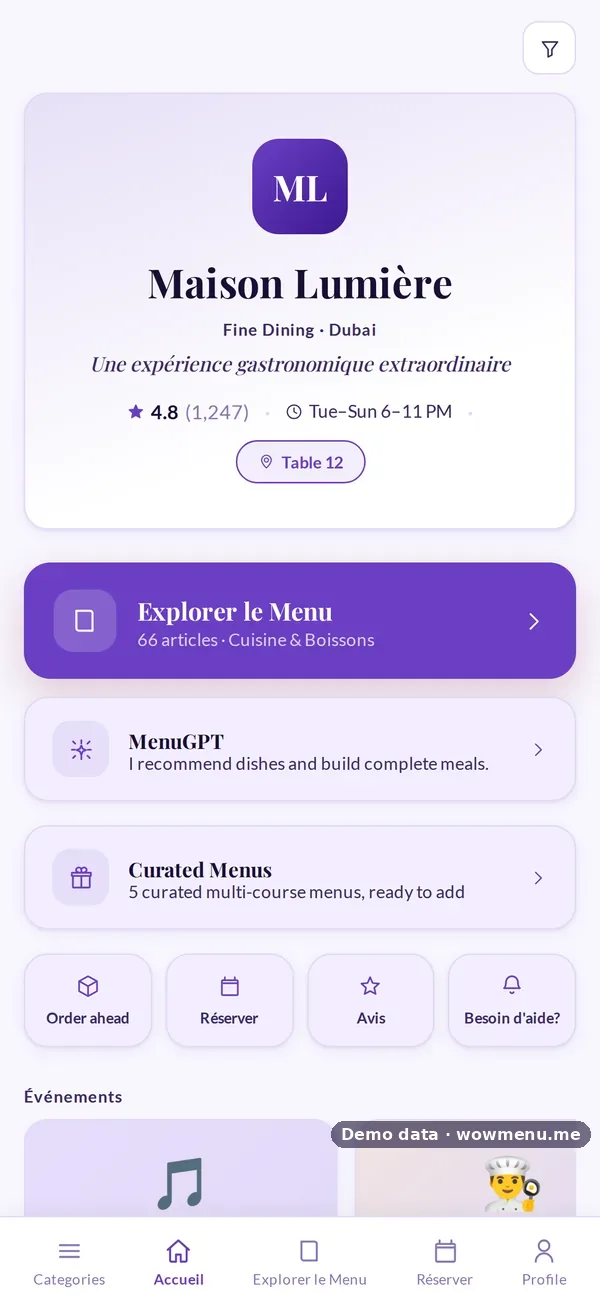
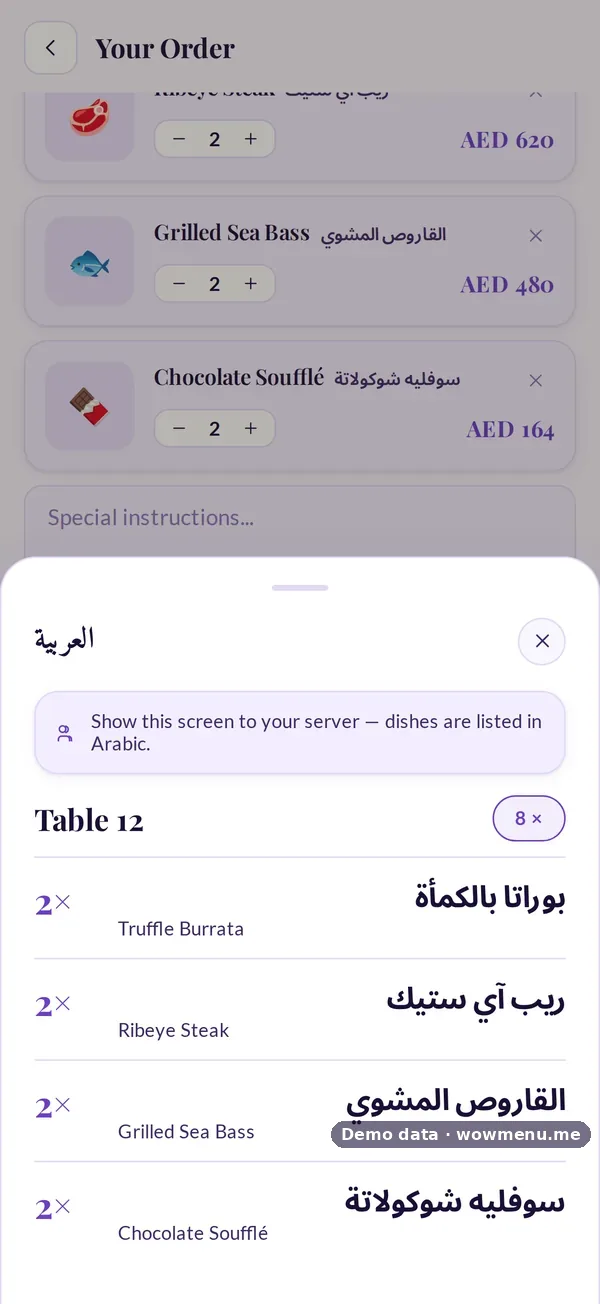
27 menu languages you can switch on
How translation works
Add the name and description in your main language, or let AI generate draft the description for you.
One click fills every menu language you have switched on, ready for you to review and edit.
The staff-language check shows how many dishes have a name in your team's language, for example 7 of 7 in Arabic.
How it connects
What the owner sets up or sees in the portal, and what the guest sees in the QR menu. Screens are from the demo restaurant, Maison Lumière, with demo data.
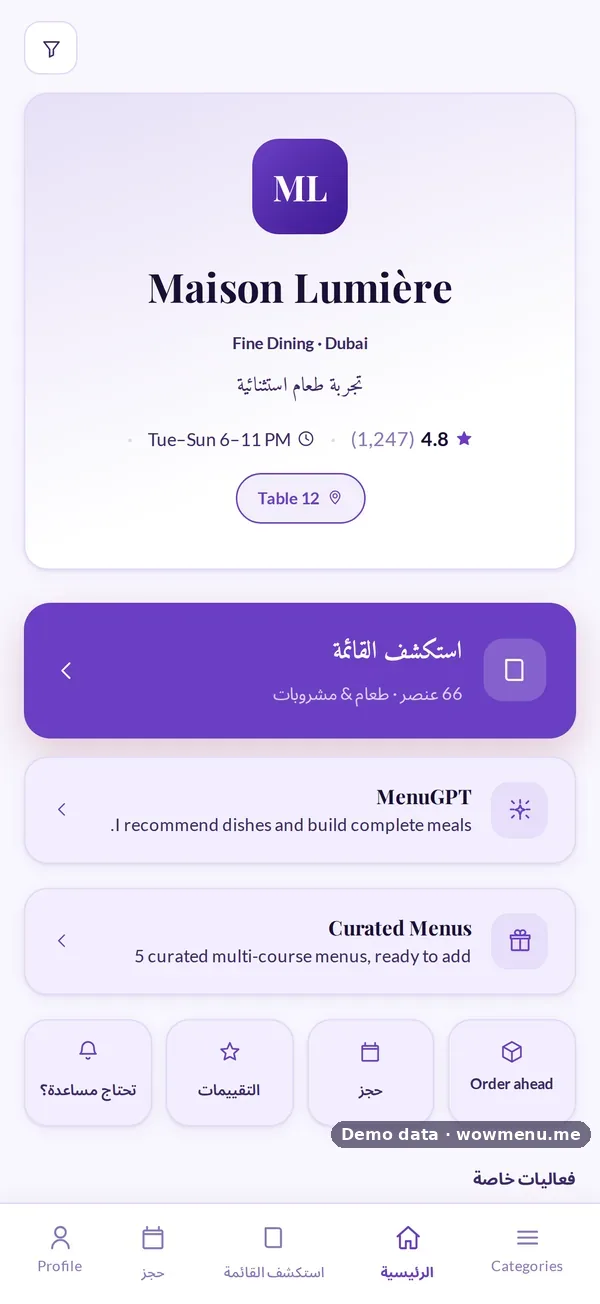
Languages the owner enables are the languages the guest can pick
The owner switches on the menu languages the restaurant needs. The guest picks theirs in one tap, and the whole menu follows, with Arabic laid out right to left.
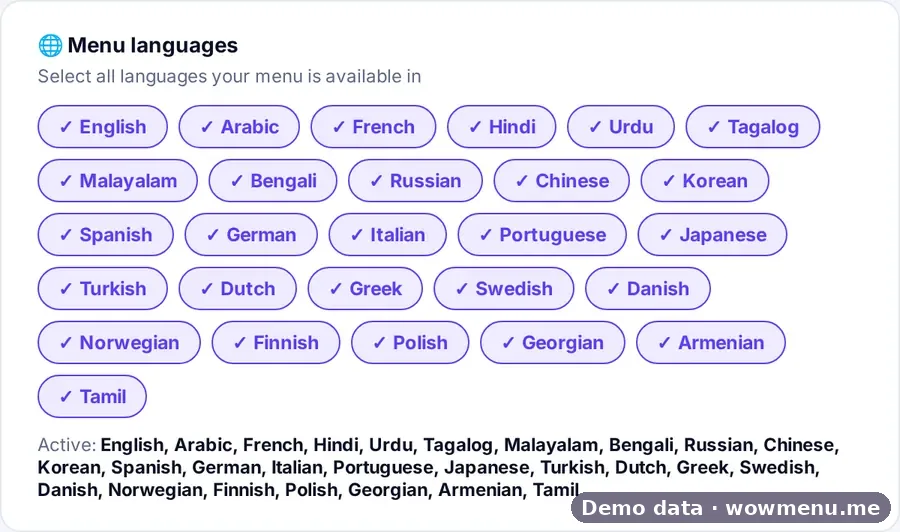
A staff language lets the team read what the guest ordered
The owner picks a staff language. Dish names then show in it too, and Show to staff opens the order in large text.
Key benefits
What Multi-Language Digital Menu does for your restaurant
Menu languages you enable
Choose the languages your guests speak. The portal offers 27, and a guest's choice is remembered for next time.
Staff-language orders
Pick a staff language and every dish name also appears in it, with a full-screen Show to staff view of the order.
Native Arabic
Right-to-left layout, Arabic fonts and a mirrored interface, not a translation pasted into a left-to-right page.
Language mix in your analytics
See which menu languages your guests actually use.
How it works
Enable your languages
In the portal, switch on the menu languages your guests need.
The guest picks theirs
A language selector appears on the menu. One tap changes the menu, MenuGPT's answers and the order flow.
The choice is remembered
The guest's language is remembered for their next visit.
Your team reads it in theirs
Choose a staff language so dish names and the Show to staff order appear in the language your team works in.
Frequently asked
How many languages does WowMenu support?
Owners enable the menu languages they need, and the portal offers 27. Ask us which are right for your guests.
Does MenuGPT answer in the guest's language?
Yes. MenuGPT answers in the language the guest has chosen for the menu.
Are my dish names and descriptions translated automatically?
Yes. In the Owner Portal, Auto-translate fills every menu language you switch on, for you to review and edit before guests see it. A coverage check shows which dishes have a name in your staff language.
Is Arabic really right-to-left?
Yes. Arabic uses Arabic fonts and a mirrored layout, so it is a native right-to-left experience.