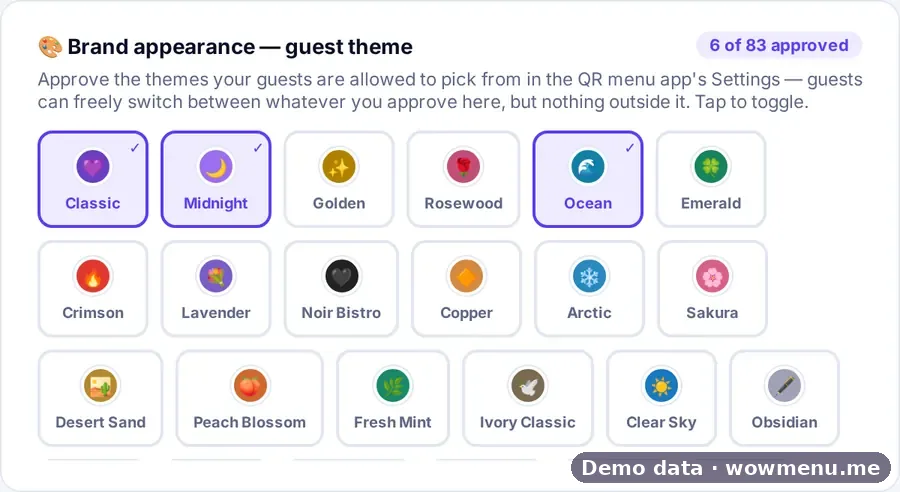
The guest menu takes on your brand through a library of visual themes, from minimalist fine dining to vibrant street food. The owner approves which themes are available, so the menu a guest sees always looks the way you intend.
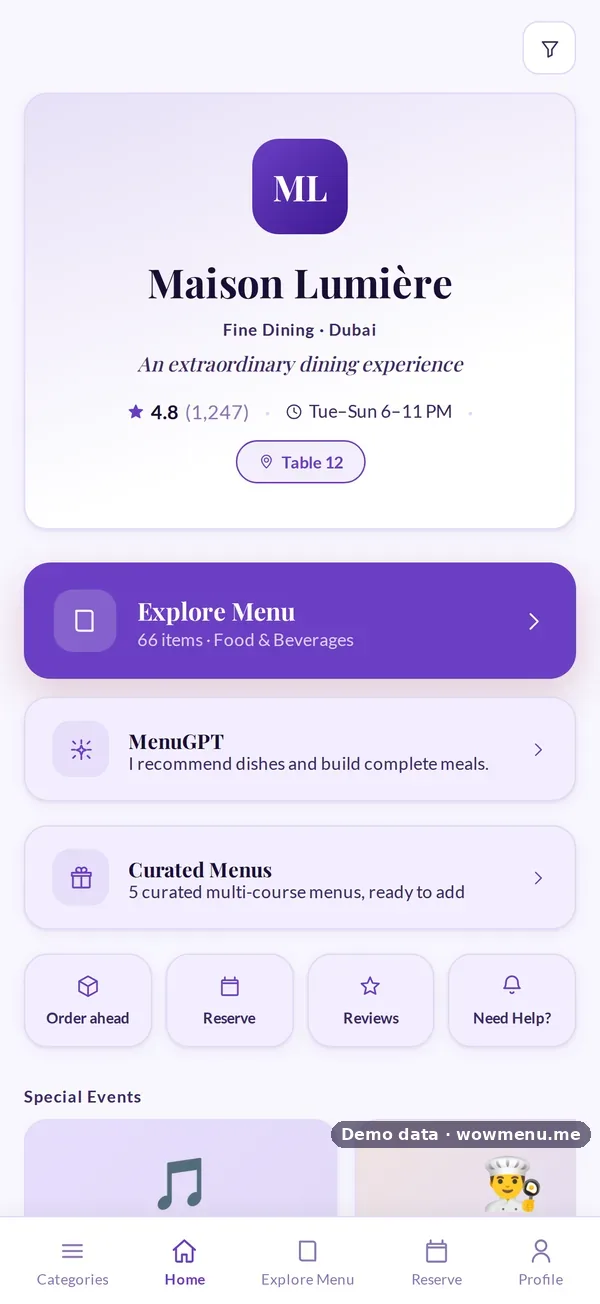
Each restaurant also gets a landing page with your logo, name, tagline, rating, hours, special events and your own highlights. Your menu should feel like your restaurant, not like a template.
How it connects
What the owner sets up or sees in the portal, and what the guest sees in the QR menu. Screens are from the demo restaurant, Maison Lumière, with demo data.
The owner approves the themes, and guests choose from them
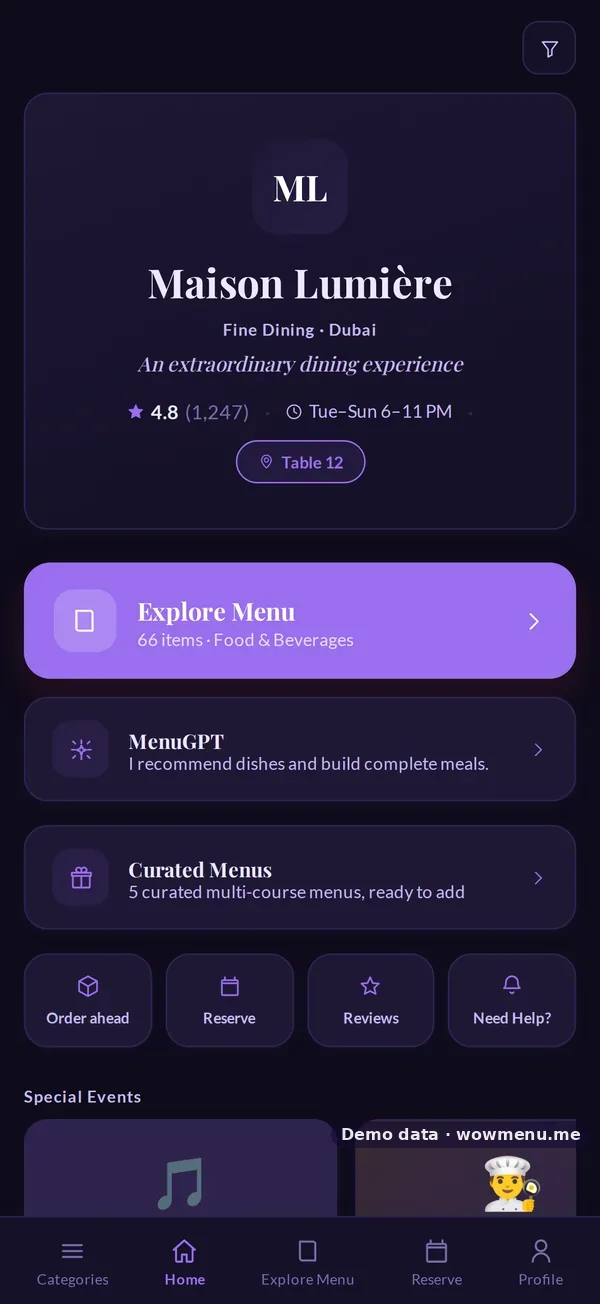
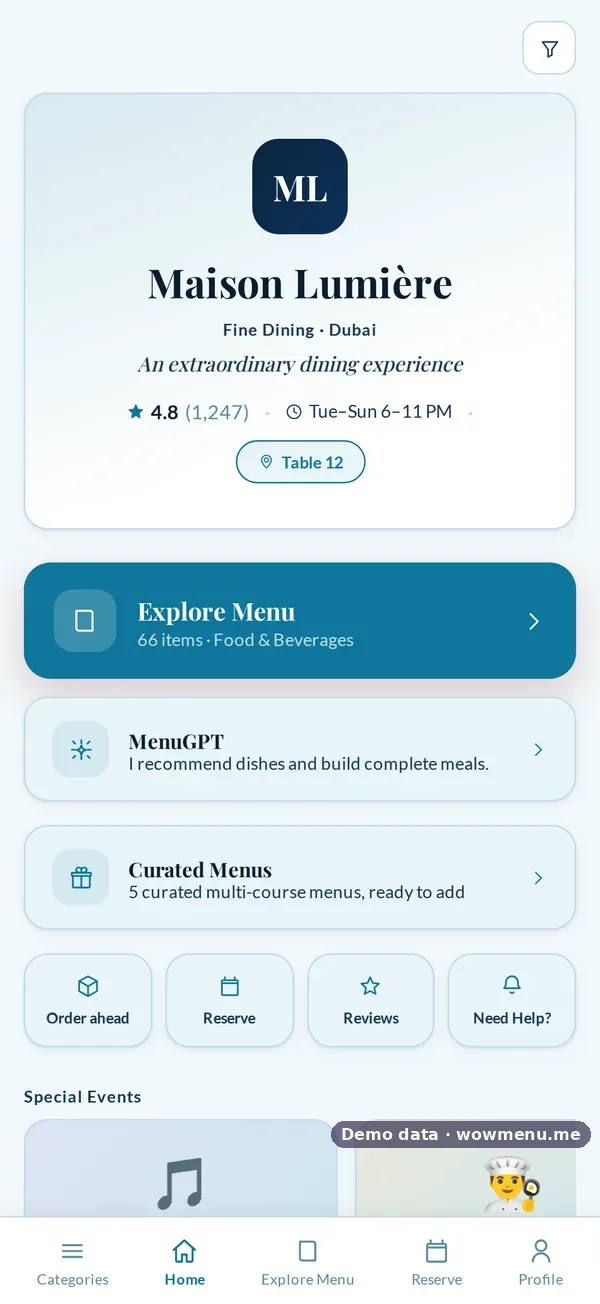
Brand appearance lets the owner approve which themes guests may pick in the QR menu. The same demo restaurant is shown here in three approved themes.
Key benefits
What Visual Theme Library does for your restaurant
83 visual themes
From minimalist fine dining to vibrant street food, so the menu fits your identity.
You approve which themes are available
The owner chooses which themes can be used, so a guest-facing menu is never off-brand.
A branded landing page
Logo, name, tagline, rating, hours, special events and your own highlights.
How it works
Browse the library
Pick a theme that fits your restaurant's look and feel.
Approve what is available
Choose which themes are available for guest-facing use.
Set your landing page
Add your logo, tagline, hours and highlights so the first screen is yours.
Frequently asked
How many themes are there?
83 visual themes, from minimalist fine dining to vibrant street food. You approve which ones guests can pick.
Can I control which themes guests see?
Yes. The owner approves which themes are available.
What is on the restaurant landing page?
Your logo, name, tagline, rating, hours, special events and your own highlights.